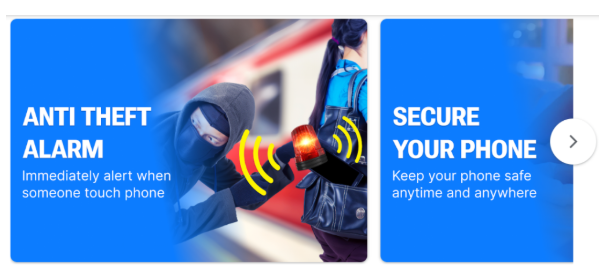
Anti Theft Phone Alarm
📱 iAnti Theft Alarm: Your Ultimate Phone Security Guard – The Complete Guide to 24/7 Protection
In today’s fast-paced world, your smartphone is more than just a device; it is your digital wallet, your photo album, your work hub, and your connection to loved ones. The thought of losing it to a thief or having a snooper invade your privacy is terrifying. Have you ever left your phone unattended at a café table while ordering coffee, feeling that pang of anxiety? Or fallen asleep on a train, worried that someone might slip it out of your pocket?
Welcome to the most comprehensive, human-centric guide on the iAnti Theft Alarm application. This isn’t just another tech manual. This is your personal roadmap to achieving total peace of mind. We will explore every nook and cranny of this powerful security tool, ensuring you understand exactly how it acts as your phone’s personal bodyguard. Whether you are a frequent traveler, a busy parent, a student in a bustling campus, or someone who simply values their privacy, this guide is tailored for you.
Table of Contents
- Introduction: The Era of Mobile Insecurity
- Why iAnti Theft? The Psychology of Protection
- Deep Dive: Key Features That Keep Your Phone Safe
- 🔹 Instant Anti-Theft Alarm (Motion & Proximity)
- 🔹 Pickpocket-Proof Protection (Pocket Mode)
- 🔹 Ear-Piercing Sirens & Scary Sounds
- 🔹 Flash & Vibration Alerts for Extra Deterrence
- 🔹 Advanced Charger & Earphone Theft Prevention
- How iAnti Theft Makes Your Life Easier: Real-World Scenarios
- Setting Up Your Digital Bodyguard: A Step-by-Step Guide
- Maximizing Security: Tips & Tricks from Power Users
- Troubleshooting Common Issues (With Human Solutions)
- Frequently Asked Questions (FAQ)
- The Verdict: Why Your Phone Deserves the Best Protection
- Download & Community
1. Introduction: The Era of Mobile Insecurity
We live in an age where our smartphones contain the keys to our kingdoms. A single glance at your phone reveals your location history, your private messages, your financial apps, and your intimate photos. Yet, we treat them with the casualness of a cheap pen, setting them down on tables, dangling them in back pockets, and leaving them charging in public places.
The statistics on phone theft are staggering. Millions of devices are snatched every year, often in mere seconds. But theft isn’t the only threat. Snooping is just as invasive. A jealous partner, a curious coworker, or even a stranger on a bus might try to glance at your notifications or swipe through your photos when you aren’t looking.
This is where iAnti Theft Alarm steps in. It transforms your passive device into an active, vigilant guardian. It doesn’t just hope for safety; it enforces it with startling efficiency. Using sophisticated sensors, it detects unauthorized access and responds with a multi-sensory assault that scares off intruders and alerts you instantly.
2. Why iAnti Theft? The Psychology of Protection
Why choose iAnti Theft over the dozens of other security apps? The answer lies in proactive deterrence. Most security measures are reactive—they help you find your phone after it’s gone (like Find My iPhone). iAnti Theft is proactive; it prevents the theft from happening in the first place.
Imagine you are a thief scanning a crowded subway car. You see a phone peeking out of a jacket pocket. You also see a phone sitting on a table. You reach for it, and the moment your fingers touch it, a deafening police siren blares, a strobe light flashes in your face, and everyone in a 50-foot radius turns to stare at you. You panic. You run. That is the power of psychological deterrence. Thieves want easy, silent targets. iAnti Theft ensures your phone is the loudest, hardest target in the room.
3. Deep Dive: Key Features That Keep Your Phone Safe
Let’s move beyond the surface and explore the intricate details of the features that make this app an indispensable tool for modern life. We understand that you need specifics to trust an app with your security, and we are here to provide that transparency.
🔹 Instant Anti-Theft Alarm
This is the core functionality that defines iAnti Theft. It utilizes your phone’s built-in accelerometer and gyroscope to create an invisible force field around your device.
- How it works: You place your phone on a desk, table, or nightstand and activate Motion Mode. The app samples the phone’s current position as the “resting state.”
- What triggers it: The moment the device is tilted, lifted, or moved even a millimeter from that state, the alarm sequence begins.
- Real-World Use: You’re in a library. You step away to find a book. A stranger thinks it’s an easy target. The moment they pick it up to slip into their bag, the alarm screams. It’s perfect for preventing snooping while you’re working in an office, sleeping in a hostel, or simply leaving your phone on a restaurant table while you pay at the counter.
🔹 Pickpocket-Proof Protection
This feature is specifically engineered for the urban jungle. Crowded streets, music festivals, and rush-hour subways are playgrounds for pickpockets.
- How it works: Activate Pocket Mode. You place your phone in your pocket or bag. The app monitors the ambient light sensor and movement patterns.
- What triggers it: A pickpocket’s technique often involves a swift, upward motion to lift the phone from a pocket. iAnti Theft detects this specific motion signature combined with the sudden exposure to light (as the phone leaves the dark pocket). The alarm triggers instantly.
- Real-World Use: You’re in a bustling market in Marrakech or squeezing into a London tube during rush hour. Your phone is safe. If a thief tries to slide it out, they won’t just get your phone; they’ll get the terrifying attention of every commuter within earshot.
🔹 Ear-Piercing Sirens & Scary Sounds
Why settle for a weak, ignorable beep? iAnti Theft comes with a library of high-decibel alarms designed specifically to cause panic in an intruder and draw maximum attention.
- The Sound Library:
- 🚨 Police Siren: The universal sound of authority. It makes a thief think law enforcement is nearby.
- 🔫 Gunshots: An extreme, shocking sound that guarantees immediate panic and retreat.
- 🚒 Fire Alarm: Taps into our primal fear of danger, causing everyone in the vicinity to look for the source.
- 🔔 Doorbell Chime: A less aggressive but highly confusing sound for a snooper, making them think they’ve triggered something at the front door.
- ⏰ Alarm Clock: Annoying and persistent, ensuring you wake up or look up.
- 🚑 Ambulance Alarm: Another high-urgency sound that commands attention.
- Volume Control: The app is designed to automatically lock the volume at its maximum level for these alarms, ensuring the thief can’t simply press the volume down button to silence it. The sound must be stopped by entering your passcode or using biometrics.
🔹 Flash & Vibration Alerts for Extra Deterrence
Sound is powerful, but combining it with light and motion creates an overwhelming sensory experience.
- Strobe Light Effect: When an alarm is triggered, the phone’s camera flash (LED) turns into a high-intensity strobe light.
- Why it works: In a dark theater, a dimly lit street, or even a bright room, a flashing strobe is incredibly disorienting. It blinds the thief momentarily and makes it impossible for them to hide or navigate the phone’s interface to turn it off. It also acts as a beacon, helping you spot your phone from a distance if it’s grabbed.
- Vibration Sync: The phone vibrates violently in sync with the alarm. If the phone is in a bag, the vibration makes it “dance,” drawing even more attention and making it harder for the thief to hold onto discreetly.
🔹 Advanced Charger & Earphone Theft Prevention
Did you know that a common method of phone theft is grabbing it while it’s charging? People often leave phones in cars or public charging stations. iAnti Theft has a dedicated solution for this.
- Power Mode (Charger Theft): You plug your phone in to charge. Activate Power Mode. If someone unplugs the lightning cable or USB-C connector, the alarm sounds immediately. This is perfect for when you’re charging your phone in a shared office space, a dorm room, or even while it’s plugged into your car’s USB port.
- Earphone Mode: Similarly, if you’re listening to music and worried someone might snatch your phone and pull the earphones out, this mode protects you. If the earphone jack is unplugged without authorization, the alarm sounds.
4. How iAnti Theft Makes Your Life Easier: Real-World Scenarios
We live in scenarios, not feature lists. Here is how iAnti Theft integrates seamlessly into your daily life, solving problems you didn’t even know you had.
✅ One-Tap Activation: You’re rushing out the door. You don’t have time to navigate complex menus. The Smart Auto-Protection feature lets you tap one button, and the app’s intelligent algorithm decides the best protection mode (Motion, Pocket, or Power) based on your current state. It’s security that adapts to you.
✅ 24/7 Protection That Respects Your Life: The app intelligently detects when you are using your phone. If you are on a call or using Siri, it automatically pauses protection. It knows you aren’t stealing your own phone. Once the call ends, simply put the phone back down, and protection resumes automatically. It’s like a security guard who knows when to stand down and when to be alert.
✅ Works Flawlessly in Crowds: Whether you’re at a concert headbanging to your favorite band, or navigating the chaos of Times Square on New Year’s Eve, the Pocket Mode remains vigilant. It differentiates between the jostling of a crowd and the specific motion of theft.
✅ Sleep Peacefully at Night: Tired of waking up every hour to check if your phone is still on the nightstand? Place it in Motion Mode before you sleep. If anyone—a roommate, a visitor, or an intruder—touches your phone while you’re asleep, the alarm will jolt you and them awake, scaring them off immediately. No more restless nights worrying about your digital life.
✅ Perfect for Parents: Have curious kids who love to grab your phone for games when you’re not looking? iAnti Theft acts as a gentle but firm deterrent. The loud noise will startle them, teaching them to ask for permission first.
5. Setting Up Your Digital Bodyguard: A Step-by-Step Guide
Getting started with iAnti Theft is designed to be as simple as possible. Follow this guide to become a security pro in minutes.
Step 1: Download and Installation
- Head to the Apple App Store (for iOS users) or Google Play Store (for Android users).
- Search for “iAnti Theft Alarm” or “Anti Theft Phone Alarm.” Look for the app with millions of downloads and high ratings, often published by developers like Hung Nguyen or Trusted App Global .
- Tap “Download” or “Install.” The app is lightweight, usually under 40MB, so it won’t hog your storage .
Step 2: Initial Permissions
Upon first opening, the app will request necessary permissions. These are crucial for its function:
- Notifications: To alert you when protection is active.
- Motion & Fitness Access (or Sensor Access): To detect movement and tilt.
- Camera (for Flash): To enable the strobe light during an alarm. This is only used for the flash, not for recording you.
- Draw Over Other Apps (Android): This allows the alarm screen to pop up over whatever is on your display when an intruder tries to use the phone.
Granting these permissions ensures the app functions correctly in the background.
Step 3: Choose Your Mode
The main screen presents you with the protection options. For beginners, the Smart Mode is highly recommended.
- Tap the Smart Mode button.
- The app analyzes if your phone is charging, stationary, or in motion.
- It then activates the appropriate mode (Power, Motion, or Pocket) and displays it on the screen.
Step 4: Customize Your Alarm
Go into the Settings menu. Here you can:
- Select your preferred alarm sound from the library of police sirens, gunshots, etc.
- Toggle the Strobe Light on or off.
- Adjust the alarm duration.
- Set up your Passcode/Touch ID/Face ID integration. This is the ONLY way to disarm the alarm, ensuring a thief can’t just press the home button to stop it.
Step 5: Test It
Before relying on it, test it!
- Activate Motion Mode and place the phone down.
- Wait 5 seconds (to allow it to arm), then pick it up.
- The alarm should sound immediately. Disarm it using your fingerprint or passcode.
- You are now ready to deploy your security guard.
6. Maximizing Security: Tips & Tricks from Power Users
To truly get the most out of iAnti Theft, adopt the habits of advanced users.
- Use Your Own MP3: One of the most praised features is the ability to use a custom sound . Imagine using a recording of your own voice shouting, “PUT MY PHONE DOWN!” or a specific dog bark. This personalization can be even more effective.
- The “Honey Trap” Method: If you’re in a sketchy area, leave your old, beat-up phone on the table with iAnti Theft running. Use your good phone secretly. If a thief goes for it, you cause a massive scene and catch them red-handed.
- Combine with Physical Security: For maximum safety, use a phone leash or ring holder. If a thief tries to snatch it, the physical resistance, combined with the blaring alarm, gives you precious seconds to react.
- Nightstand Setup: Before bed, place your phone face down on a hard surface. The vibration during an alarm will be amplified by the surface, creating an even louder, more disruptive sound.
- Be Aware of Limitations: Remember that on iOS, the system may suspend background apps after several hours to save battery . For long-term, overnight protection, ensure your phone is charged and check it periodically, or use it in short bursts.
7. Troubleshooting Common Issues (With Human Solutions)
Even the best technology can hit a snag. Here are solutions to common problems users face.
Issue: “The alarm goes off by itself when I’m just adjusting my pocket.”
- The Solution: This is a common complaint due to high sensitivity . Adjust the sensor sensitivity in the settings menu. Lowering it slightly will prevent false triggers from minor jostling while retaining protection against the sharp motion of theft.
Issue: “The app stopped working after a few hours.” (iOS)
- The Solution: This is often an iOS limitation, not an app bug. To improve performance:
- Go to your iPhone Settings > Battery.
- Disable “Low Power Mode” if it’s on.
- Go to Settings > General > Background App Refresh and ensure iAnti Theft is toggled ON.
- Keep the app open in your app switcher (don’t force close it).
Issue: “A thief can just turn off the phone to stop the alarm!”
- The Solution: While alarming, many users find the alarm disarms when the power button is held . To counter this:
- Use Guided Access (iOS) or Screen Pinning (Android): This is an advanced trick. If you enable this feature before arming the app, it locks the user into the iAnti Theft screen. They cannot access the power off slider without triple-clicking the side button and entering a passcode, buying you crucial extra seconds.
Issue: “The alarm won’t stop and I can’t figure out how to turn it off.”
- The Solution: Don’t panic. The deactivation method is specific.
8. Frequently Asked Questions (FAQ)
Q: Is iAnti Theft completely free?
A: There is a robust free version available with core features. Some advanced functionalities, like custom sounds or ad-free experience, may be available via a one-time in-app purchase (often called “Full Version”) .
Q: Will this drain my battery?
A: The app is optimized for low power consumption. It uses sensors that are already running on your phone. However, like any background process, it will use a small amount of battery. For most users, the impact is negligible.
Q: Does it work if my phone is on silent?
A: Yes! A key security feature is that the app automatically overrides your silent switch and volume settings when an alarm is triggered. It forces the alarm to play at maximum volume, ensuring you never miss a theft attempt because your phone was on vibrate .
Q: Can I use this to catch someone snooping through my photos?
A: Absolutely. Place your phone down, activate Motion Mode, and walk away. If a friend or coworker picks it up to swipe through your gallery, the alarm will sound instantly, busting them in the act.
Q: What if the thief throws my phone or smashes it?
A: While iAnti Theft provides a powerful audible deterrent, it cannot physically prevent damage. Its goal is to scare the thief into dropping the phone and running away, leaving your device behind and intact, rather than letting them run off with it to be destroyed or wiped later.
Q: Does the app collect my data?
A: Reputable versions of the app, like those from Hung Nguyen, state that data like usage and diagnostics may be collected but is not linked to your identity. Data is encrypted in transit for your safety .
9. The Verdict: Why Your Phone Deserves the Best Protection
In a world where our digital and physical lives are so intertwined, guarding our smartphones is no longer optional—it’s essential. The iAnti Theft Alarm app bridges the gap between passive tracking and active prevention.
It doesn’t just help you find your phone after it’s stolen; it fights back in the moment. It turns your phone from a passive target into an active defender. With its combination of smart sensors, terrifying alarm sounds, and disorienting strobe lights, it creates a fortress of deterrence that makes your phone the least appealing target in any room.
Whether you are protecting your device from a professional pickpocket in Barcelona, a snooping roommate in your college dorm, or simply giving yourself the peace of mind to enjoy a coffee without looking over your shoulder every five seconds, iAnti Theft is the ultimate solution.
Your phone is the window to your life. Don’t let an intruder climb through it.
10. Download & Community
Ready to experience true peace of mind?
📲 Download iAnti Theft Alarm Now:
- iOS Users: [Download on the Apple App Store]
- Android Users: [Download on Google Play Store]
Stay Connected & Get Support:
We believe in building a community of security-conscious users. Have a question? A feature request? A success story about how the app scared off a thief?
- Twitter: Follow us for tips and updates.
- Facebook: Like our page to join the community discussion.
- Email Support: Reach out directly for personalized help.
Got questions? Drop a comment below or reach out—we’re happy to help!
Don’t wait for an incident to happen. Download now and safeguard your digital life with confidence.
Tags: #AntiTheft #PhoneSecurity #iAntiTheft #PrivacyProtection #MobileSafety #AntiPickpocket #AppSecurity #TheftDeterrent #PhoneAlarm #DigitalSafety


Leave a Comment